Quantum Sealed Record Layer
I have recently been experimenting with post-quantum cryptography, and learn best by building, so I created a small open source prototype called qsrl (Quantum Sealed Record Layer).
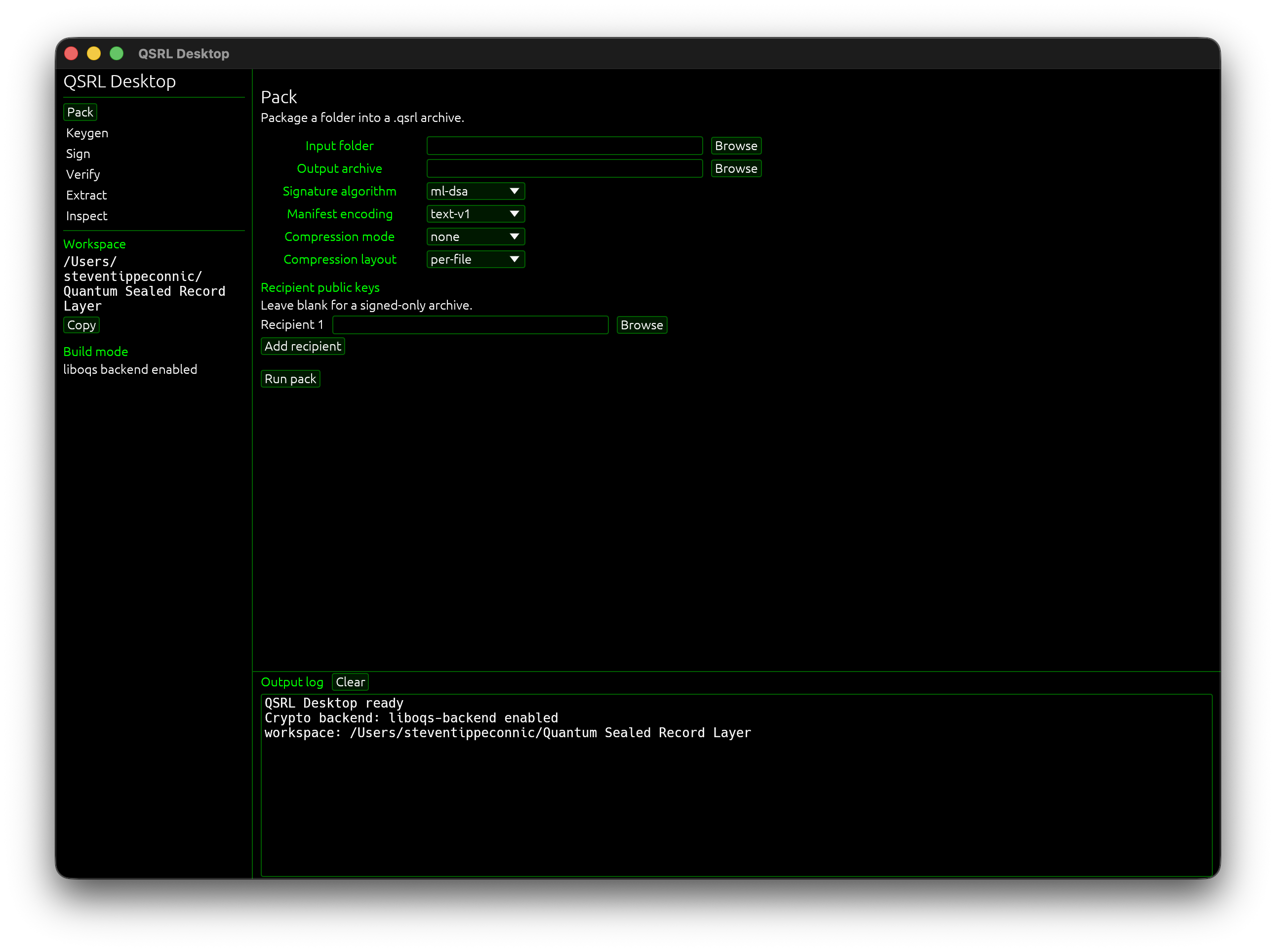
qsrl is an experimental local archive/signing tool built in Rust. The idea is simple - take a folder, package it into a deterministic .qsrl archive, sign the archive with post-quantum signature schemes, optionally encrypt the payload for a recipient, and then verify or extract it later through either a CLI or a small local desktop app.
The project currently supports ML-DSA and SLH-DSA signatures through liboqs, ML-KEM key encapsulation for recipients, AES-256-GCM payload encryption, verified extraction, detached signatures, archive inspection, and a local desktop UI. Everything stays local on disk. No accounts, no sync, no telemetry, and no cloud backend.
The desktop UI features Keygen, Pack, Sign, Verify, Extract, and Inspect. The UI is just a local front end over the Rust core. It does not replace the CLI, and it does not add network behavior. The goal was to make the archive workflows easier to demo and use without turning it into a large app.
The main reason I built this was to understand the practical mechanics of post-quantum archive authentication - where the manifest should be signed, what should remain inspectable, how recipient encryption should sit beside signature verification, and how to make the archive format deterministic enough to reason about.
A few things I wanted qsrl to explore:
deterministic archive manifests
post-quantum signatures for archive identity
recipient-based payload encryption
signed-only and signed + encrypted workflows
detached signature support
verified extraction
safe extraction behavior
local-first UI workflows for non-terminal use
qsrl is an experimental local archive/signing tool built in Rust. The idea is simple - take a folder, package it into a deterministic .qsrl archive, sign the archive with post-quantum signature schemes, optionally encrypt the payload for a recipient, and then verify or extract it later through either a CLI or a small local desktop app.
The project currently supports ML-DSA and SLH-DSA signatures through liboqs, ML-KEM key encapsulation for recipients, AES-256-GCM payload encryption, verified extraction, detached signatures, archive inspection, and a local desktop UI. Everything stays local on disk. No accounts, no sync, no telemetry, and no cloud backend.
The desktop UI features Keygen, Pack, Sign, Verify, Extract, and Inspect. The UI is just a local front end over the Rust core. It does not replace the CLI, and it does not add network behavior. The goal was to make the archive workflows easier to demo and use without turning it into a large app.
The main reason I built this was to understand the practical mechanics of post-quantum archive authentication - where the manifest should be signed, what should remain inspectable, how recipient encryption should sit beside signature verification, and how to make the archive format deterministic enough to reason about.
A few things I wanted qsrl to explore:
deterministic archive manifests
post-quantum signatures for archive identity
recipient-based payload encryption
signed-only and signed + encrypted workflows
detached signature support
verified extraction
safe extraction behavior
local-first UI workflows for non-terminal use
Walkthrough of qsrl
1. Key generation
The desktop app includes a Keygen workflow for creating local ML-DSA, SLH-DSA, and ML-KEM keypairs.
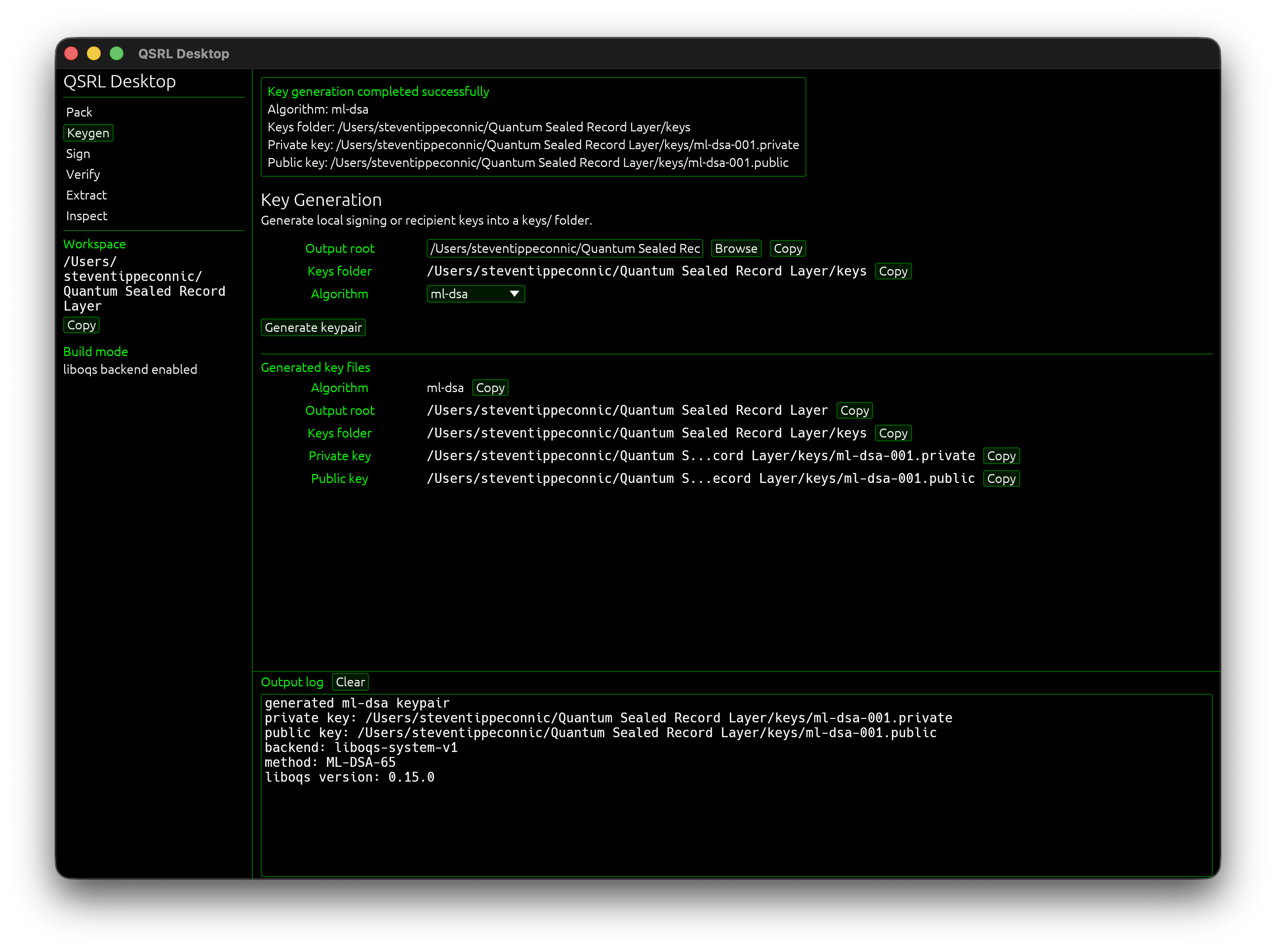
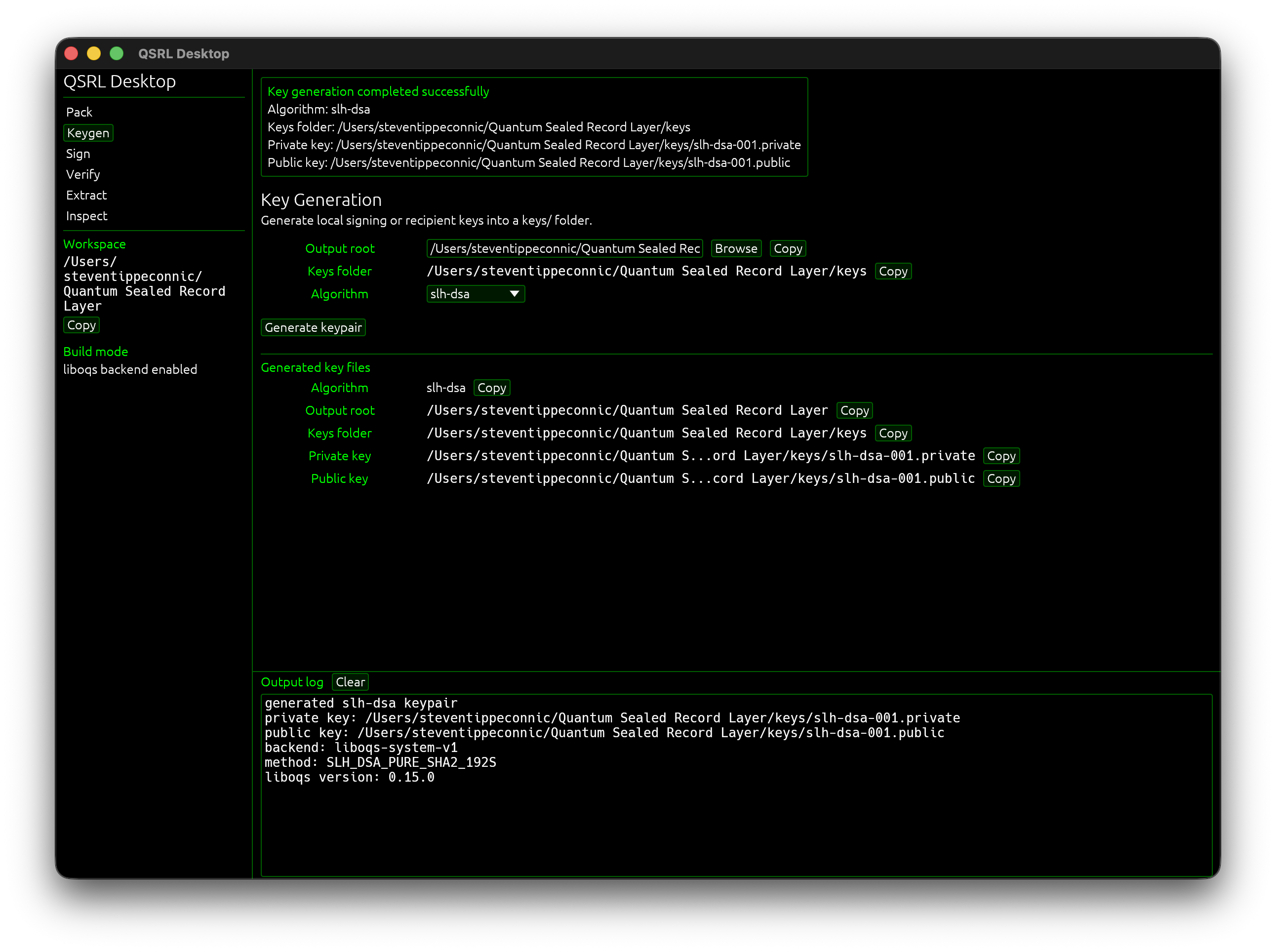
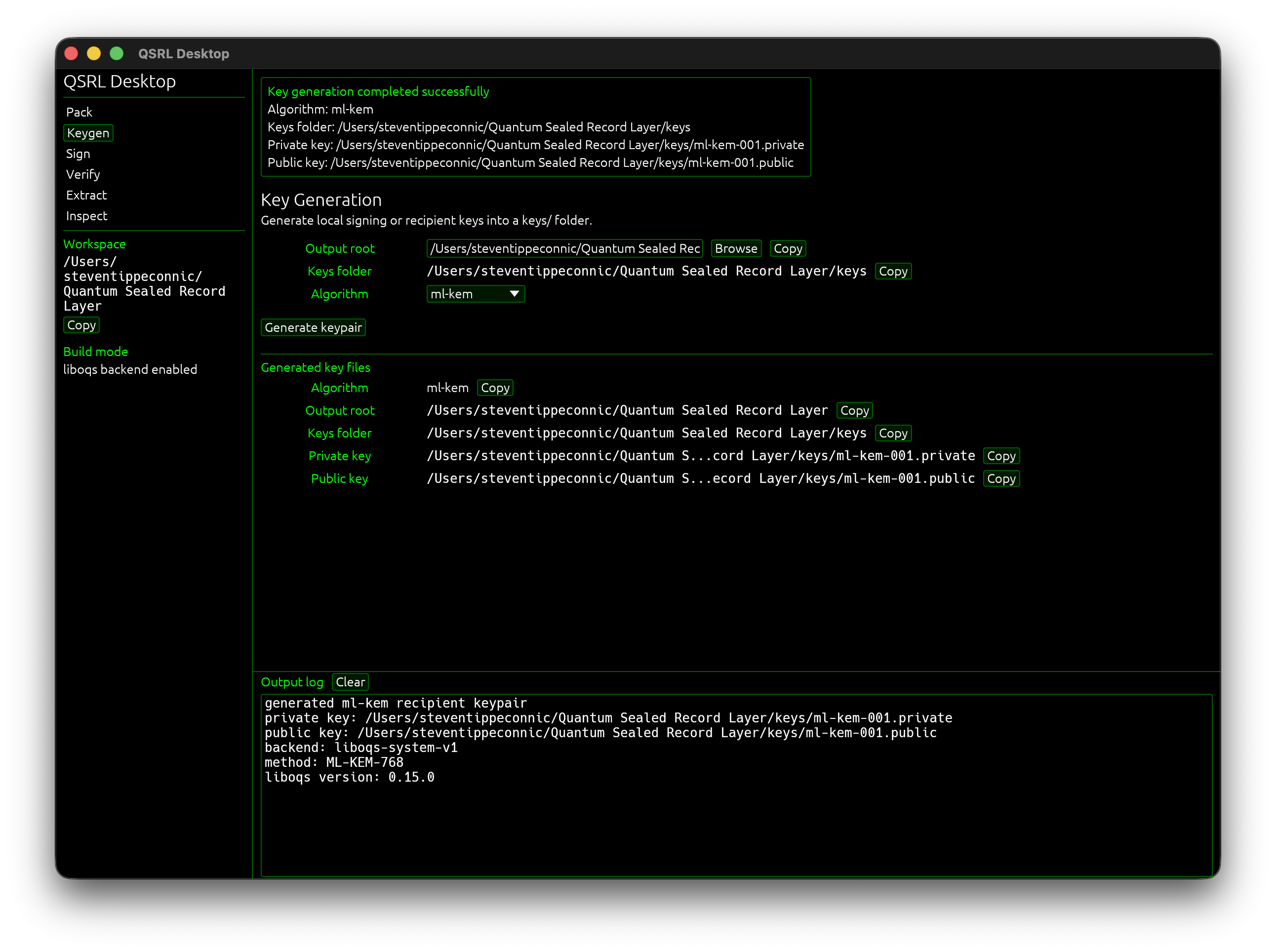
This shows the local key workflow. ML-DSA and SLH-DSA are used for signatures, while ML-KEM is used for recipient key encapsulation. AES-256-GCM handles the actual payload encryption. The private key files stay local, and on Unix-like systems QSRL creates prototype .private key files with restrictive permissions.
1. Key generation
The desktop app includes a Keygen workflow for creating local ML-DSA, SLH-DSA, and ML-KEM keypairs.
This shows the local key workflow. ML-DSA and SLH-DSA are used for signatures, while ML-KEM is used for recipient key encapsulation. AES-256-GCM handles the actual payload encryption. The private key files stay local, and on Unix-like systems QSRL creates prototype .private key files with restrictive permissions.
2. Packing a folder into a .qsrl archive
qsrl can package a folder into a .qsrl archive using an explicit manifest, compression options, and archive metadata.
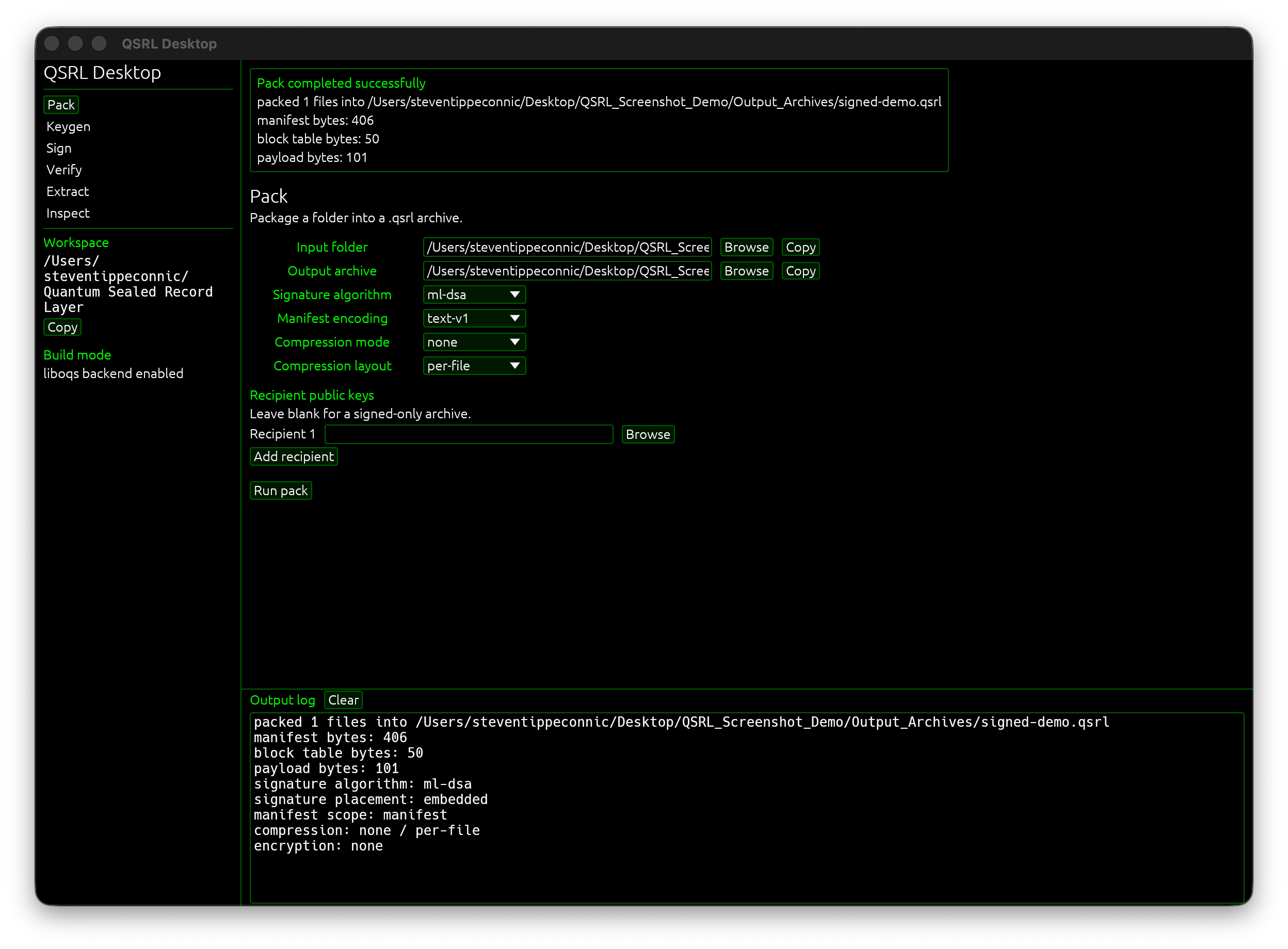
This is the core archive creation step. The archive stores enough structure to inspect what was packaged while keeping the format deterministic and easy to test.
qsrl can package a folder into a .qsrl archive using an explicit manifest, compression options, and archive metadata.
This is the core archive creation step. The archive stores enough structure to inspect what was packaged while keeping the format deterministic and easy to test.
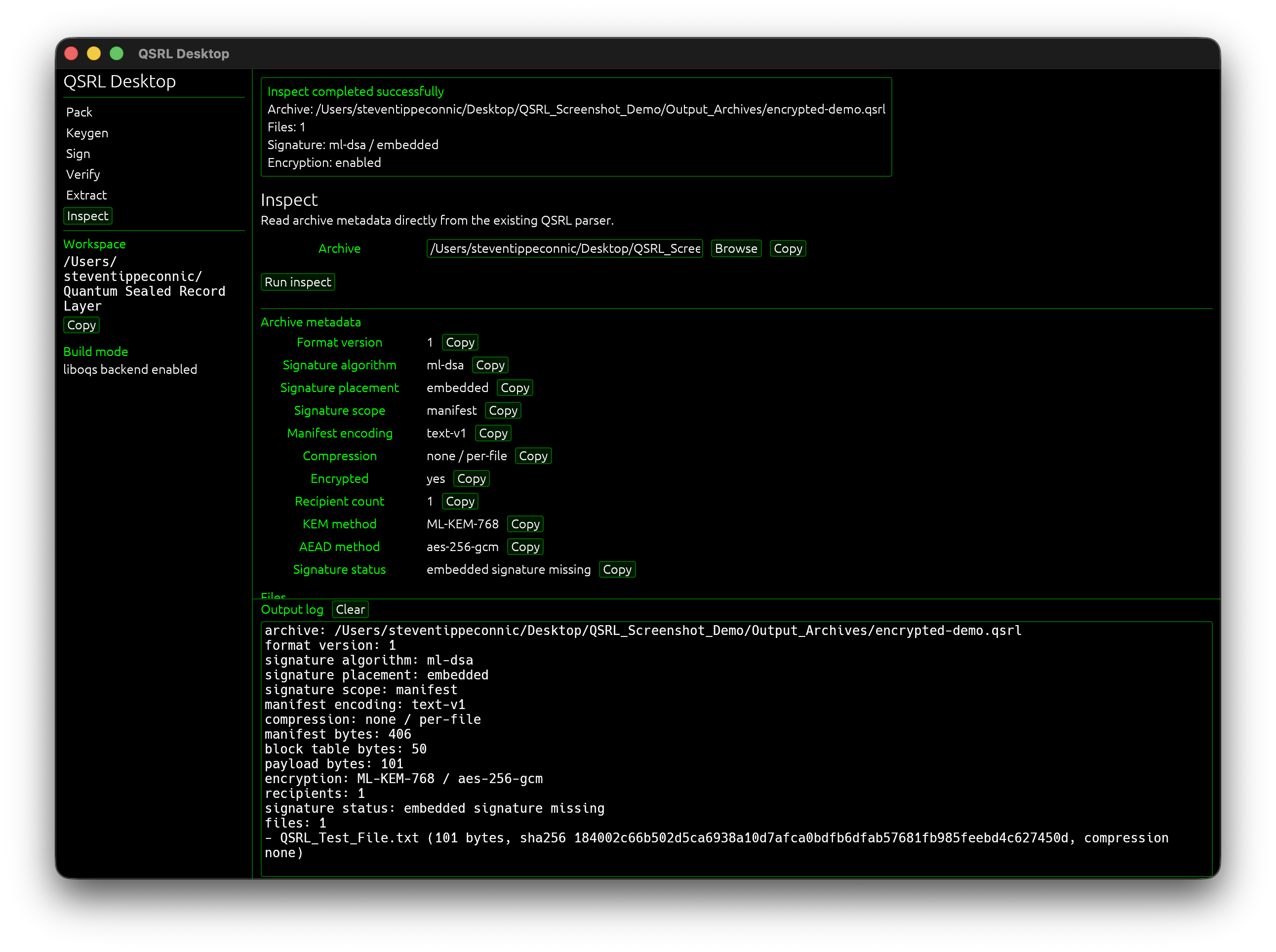
3. Inspecting an archive
The Inspect tab shows archive metadata before or after signing/encryption.
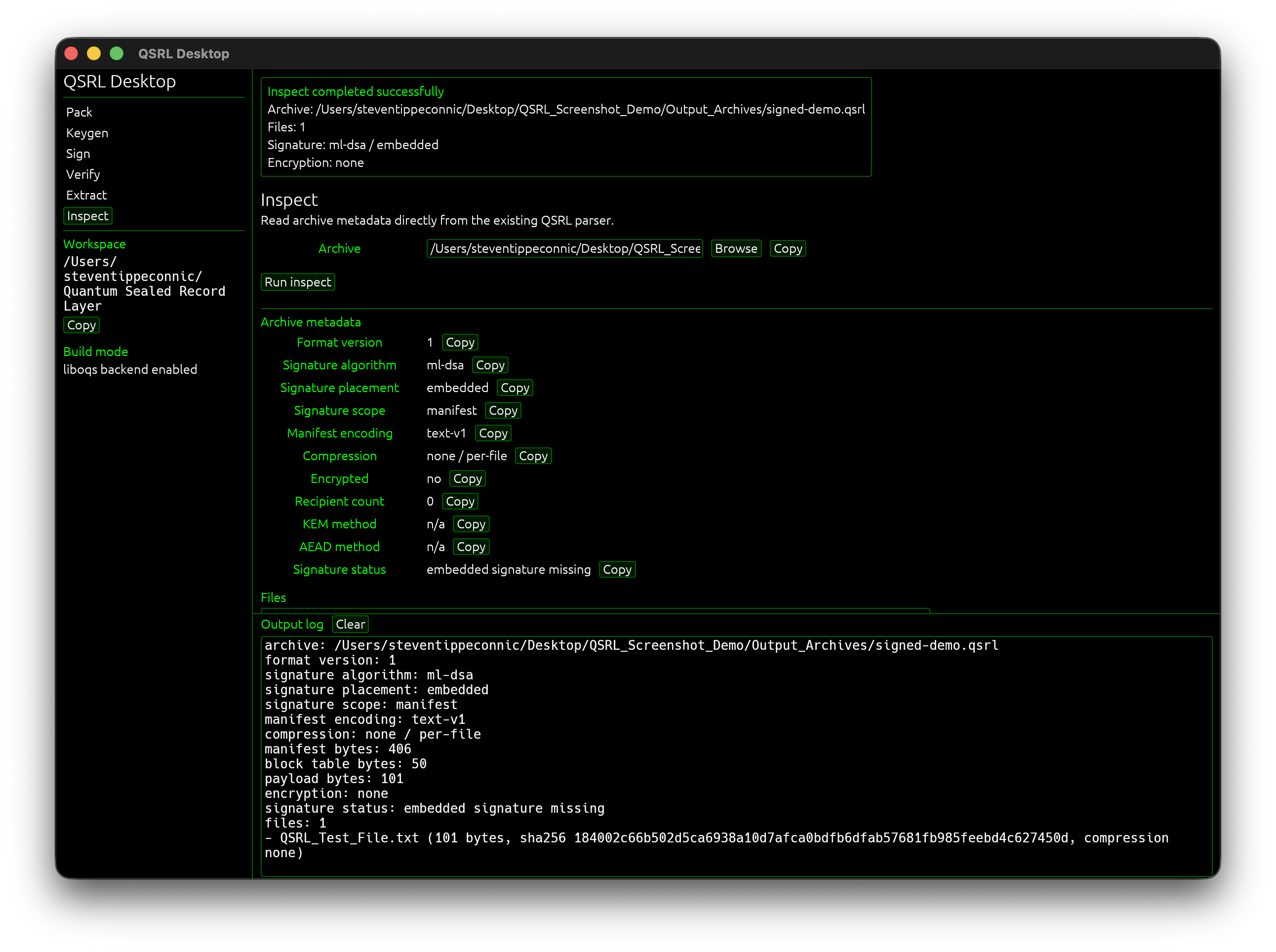
This is one of the parts I care about most. I wanted qsrl archives to be inspectable, not just opaque blobs. Even when encryption is used, the signed identity and archive structure remain understandable.
The Inspect tab shows archive metadata before or after signing/encryption.
This is one of the parts I care about most. I wanted qsrl archives to be inspectable, not just opaque blobs. Even when encryption is used, the signed identity and archive structure remain understandable.
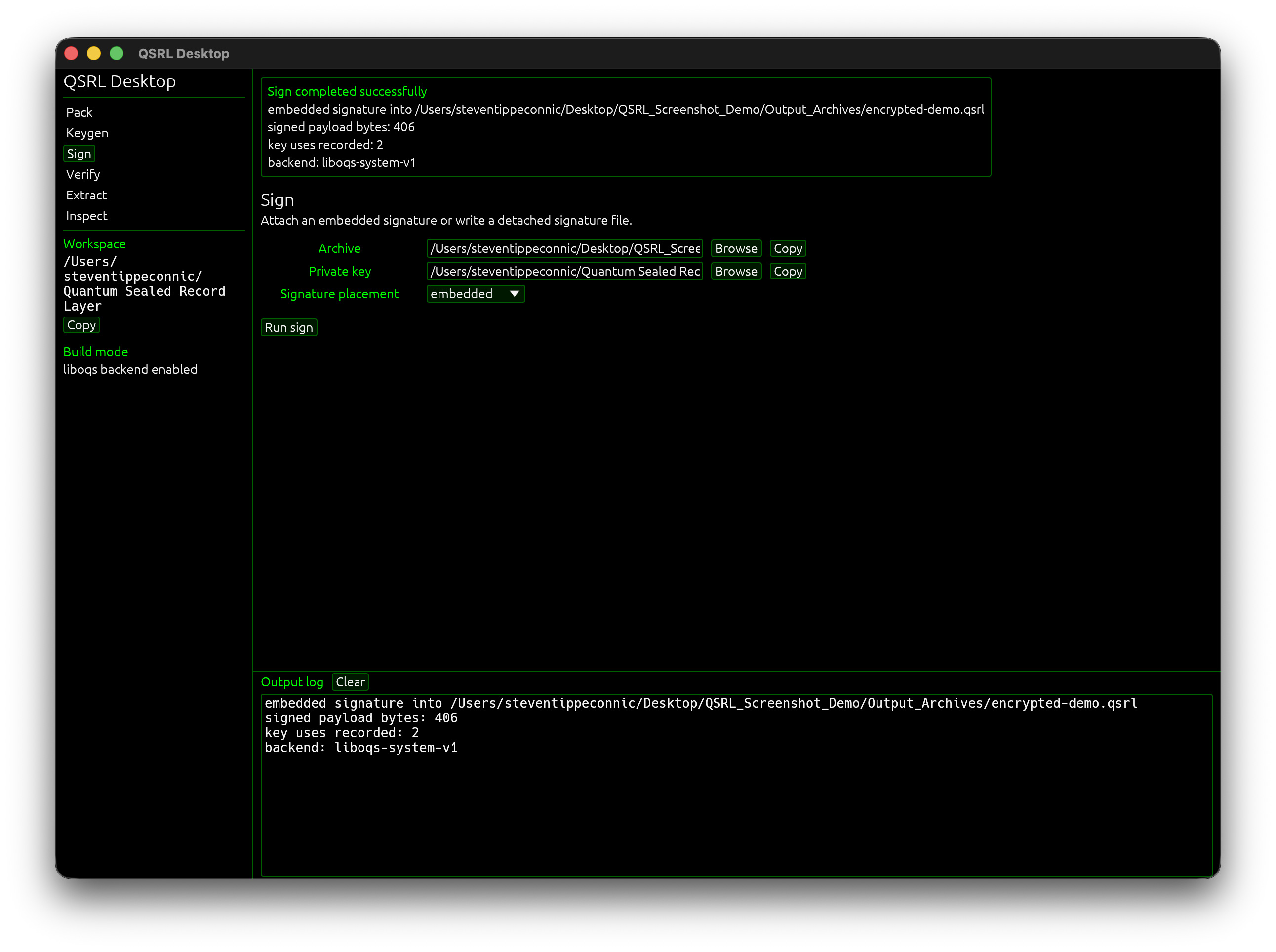
4. Signing an archive
qsrl supports embedded and detached signatures.
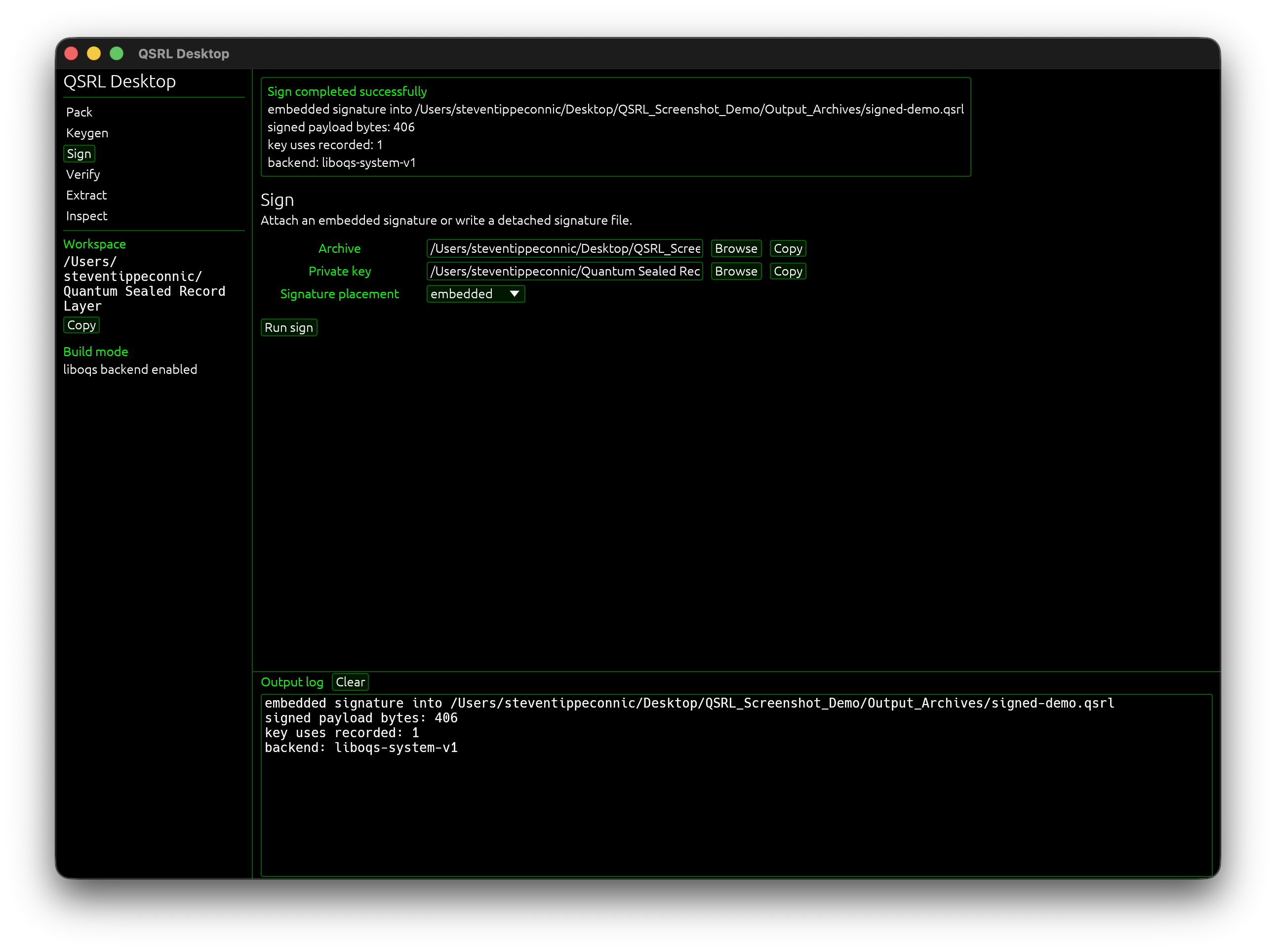
This step signs the archive’s canonical identity. Embedded signatures keep everything in one file, while detached signatures allow the .sig file to sit beside the archive.
qsrl supports embedded and detached signatures.
This step signs the archive’s canonical identity. Embedded signatures keep everything in one file, while detached signatures allow the .sig file to sit beside the archive.
5. Verifying an archive
The Verify tab checks signatures and file hashes when possible.
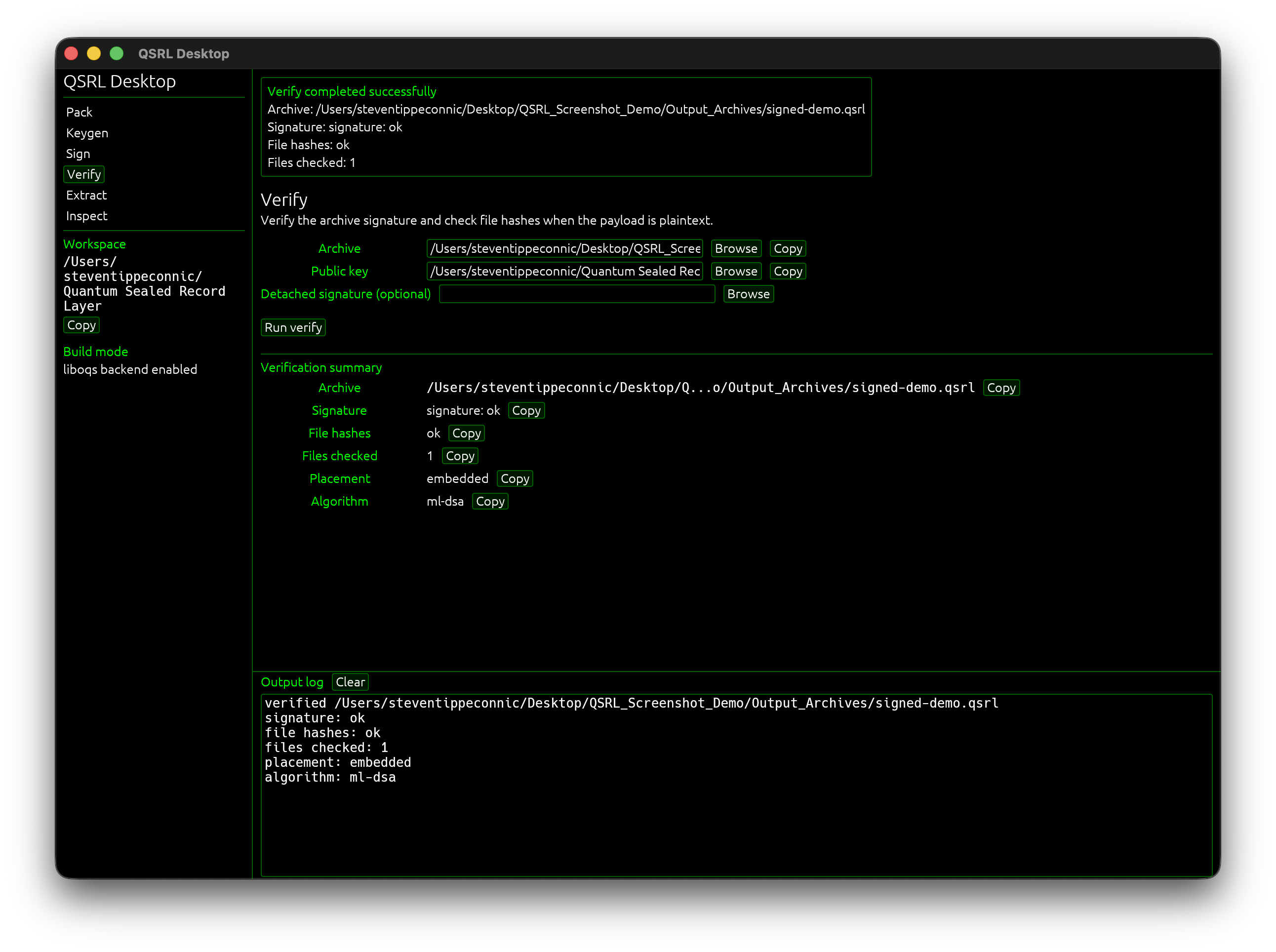
For encrypted archives, qsrl is careful about wording, verification can confirm the signature, but encrypted payload authentication happens during decrypt/extract. I wanted the tool to avoid implying more than it has actually checked.
The Verify tab checks signatures and file hashes when possible.
For encrypted archives, qsrl is careful about wording, verification can confirm the signature, but encrypted payload authentication happens during decrypt/extract. I wanted the tool to avoid implying more than it has actually checked.
6. Extracting an archive
The Extract workflow restores the archive contents to a selected output folder.
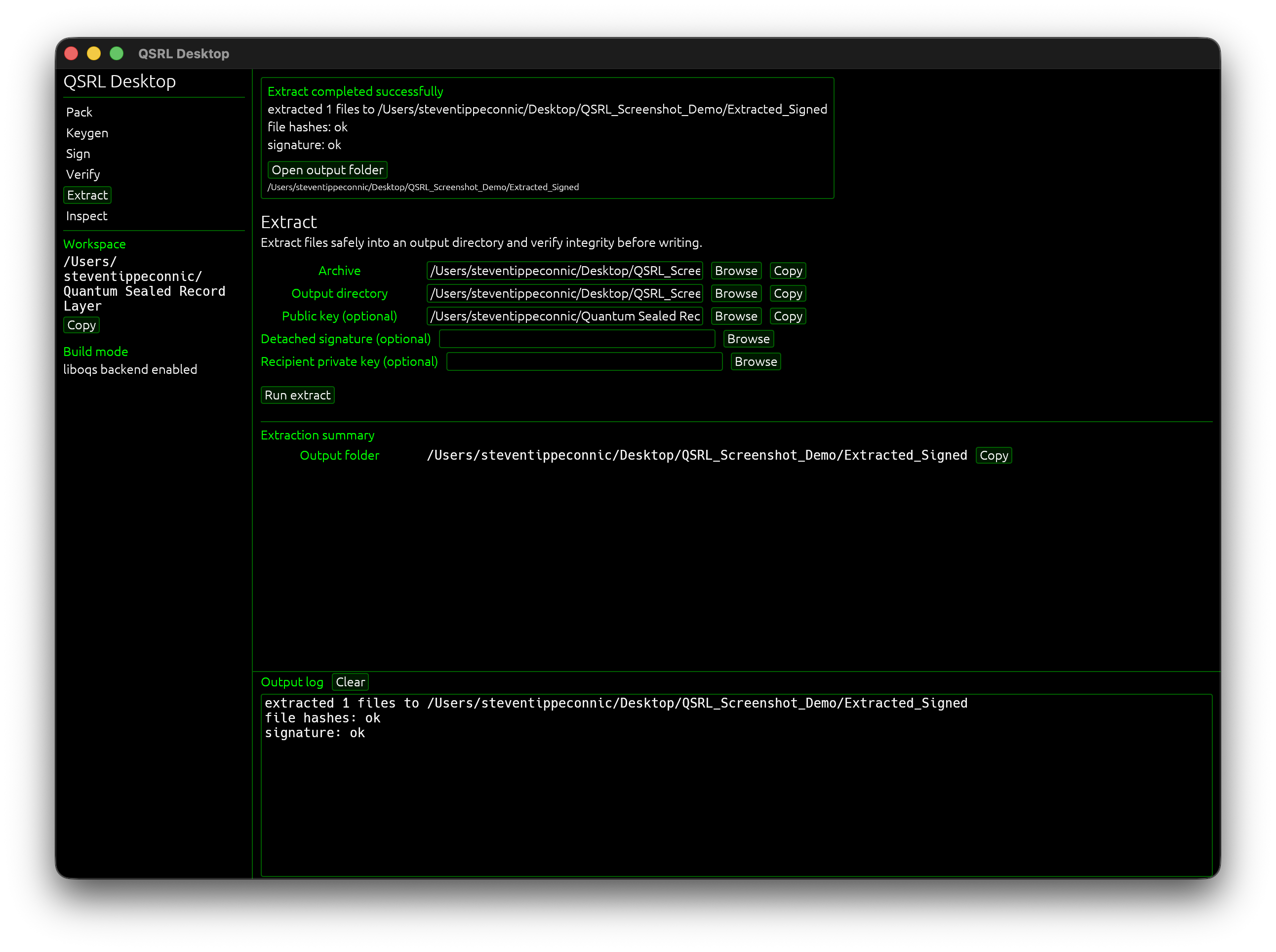
qsrl verifies decoded file integrity before writing and includes safety checks around extraction behavior. It rejects path traversal, symlink path components, overwrite attempts, malformed archives, and trailing archive bytes.
The Extract workflow restores the archive contents to a selected output folder.
qsrl verifies decoded file integrity before writing and includes safety checks around extraction behavior. It rejects path traversal, symlink path components, overwrite attempts, malformed archives, and trailing archive bytes.
7. Encrypted recipient workflow
qsrl can encrypt the archive payload for an ML-KEM recipient.
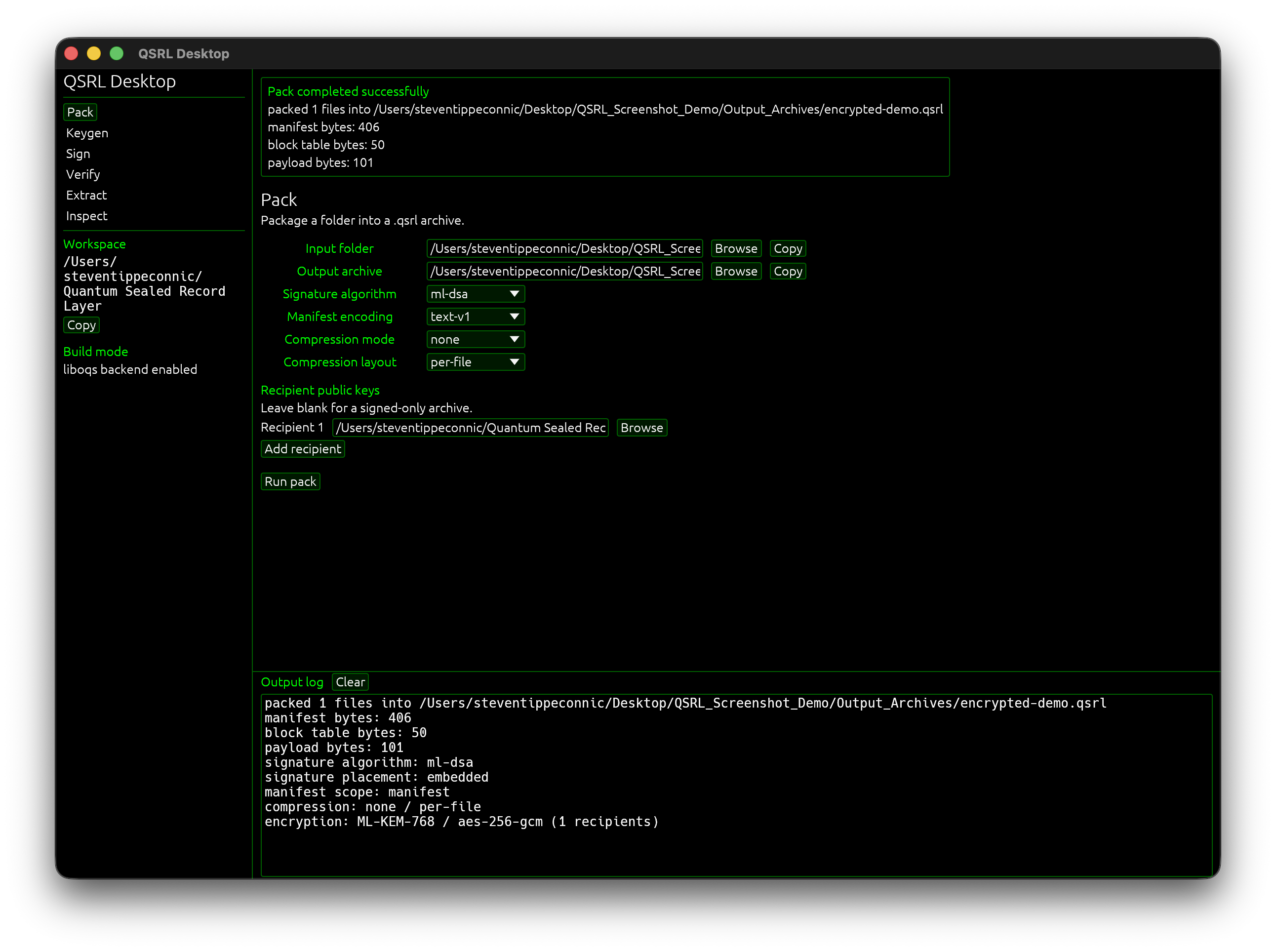
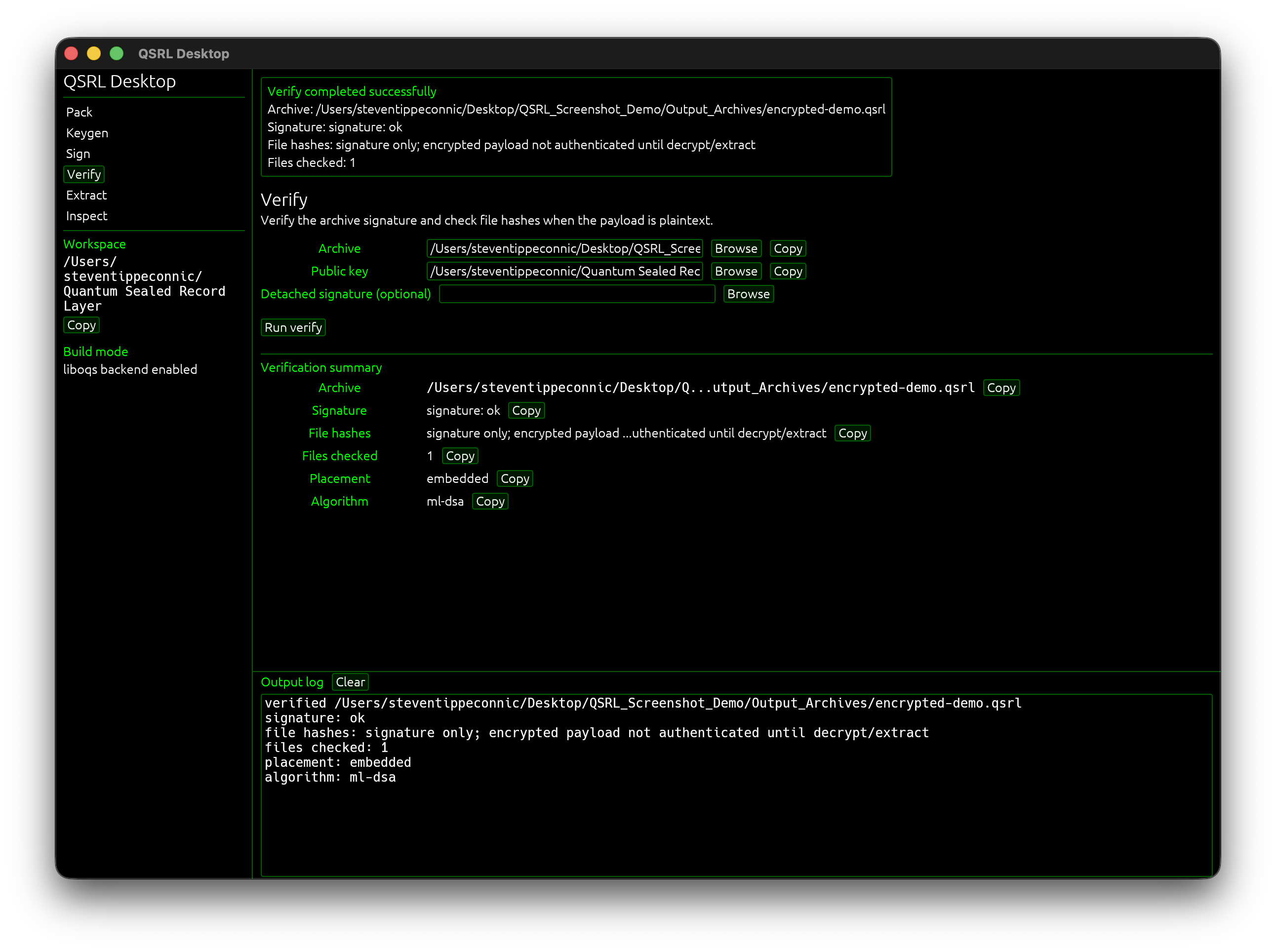
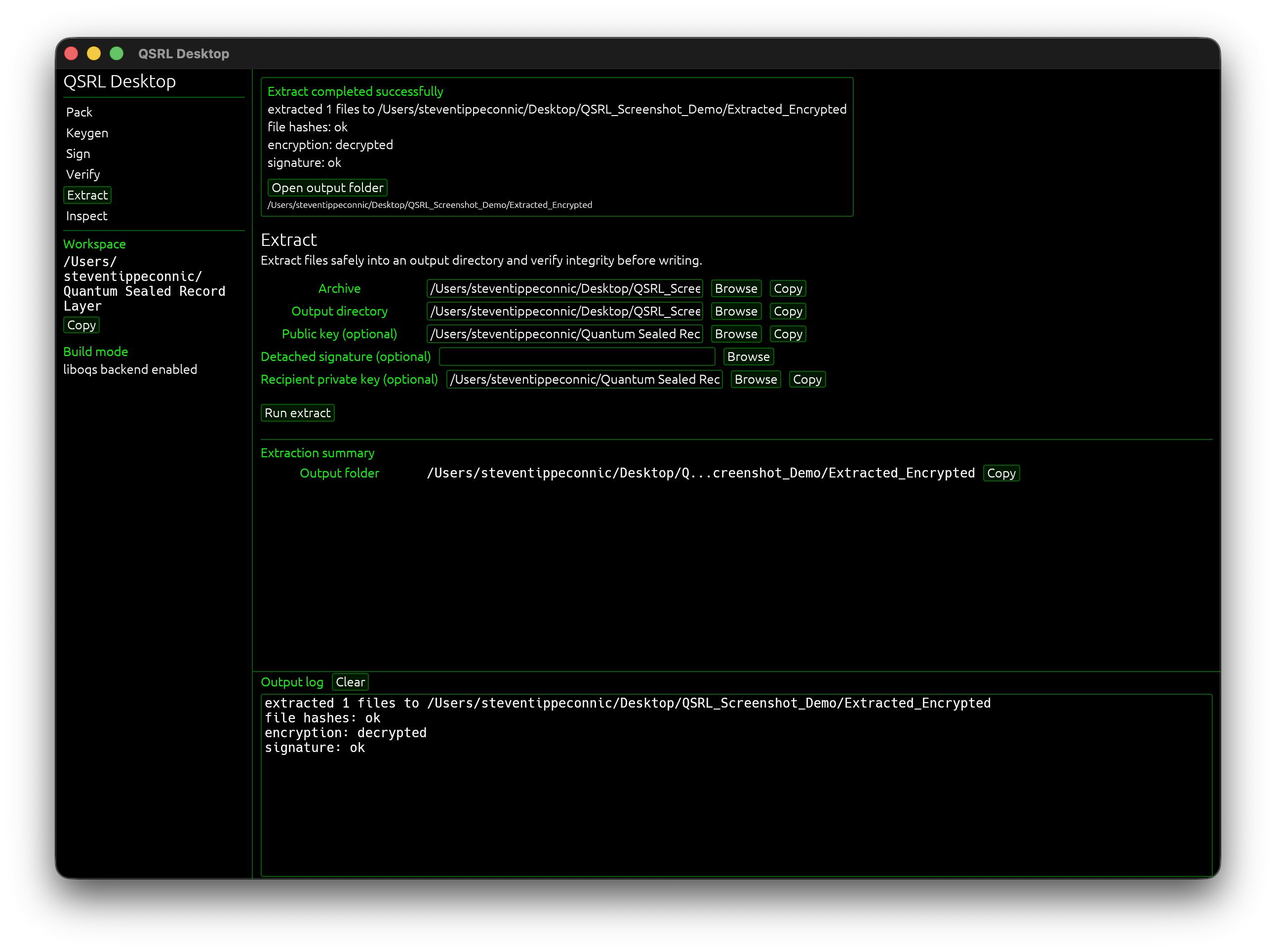
This is the signed + encrypted path, the manifest/signature model remains separate from payload confidentiality. The archive can be signed for authenticity and encrypted for a recipient who has the matching ML-KEM private key.
qsrl can encrypt the archive payload for an ML-KEM recipient.
This is the signed + encrypted path, the manifest/signature model remains separate from payload confidentiality. The archive can be signed for authenticity and encrypted for a recipient who has the matching ML-KEM private key.
8. Wrong-key failure tests
I also tested failure paths, verifying with the wrong public key and extracting encrypted archives with the wrong recipient private key.
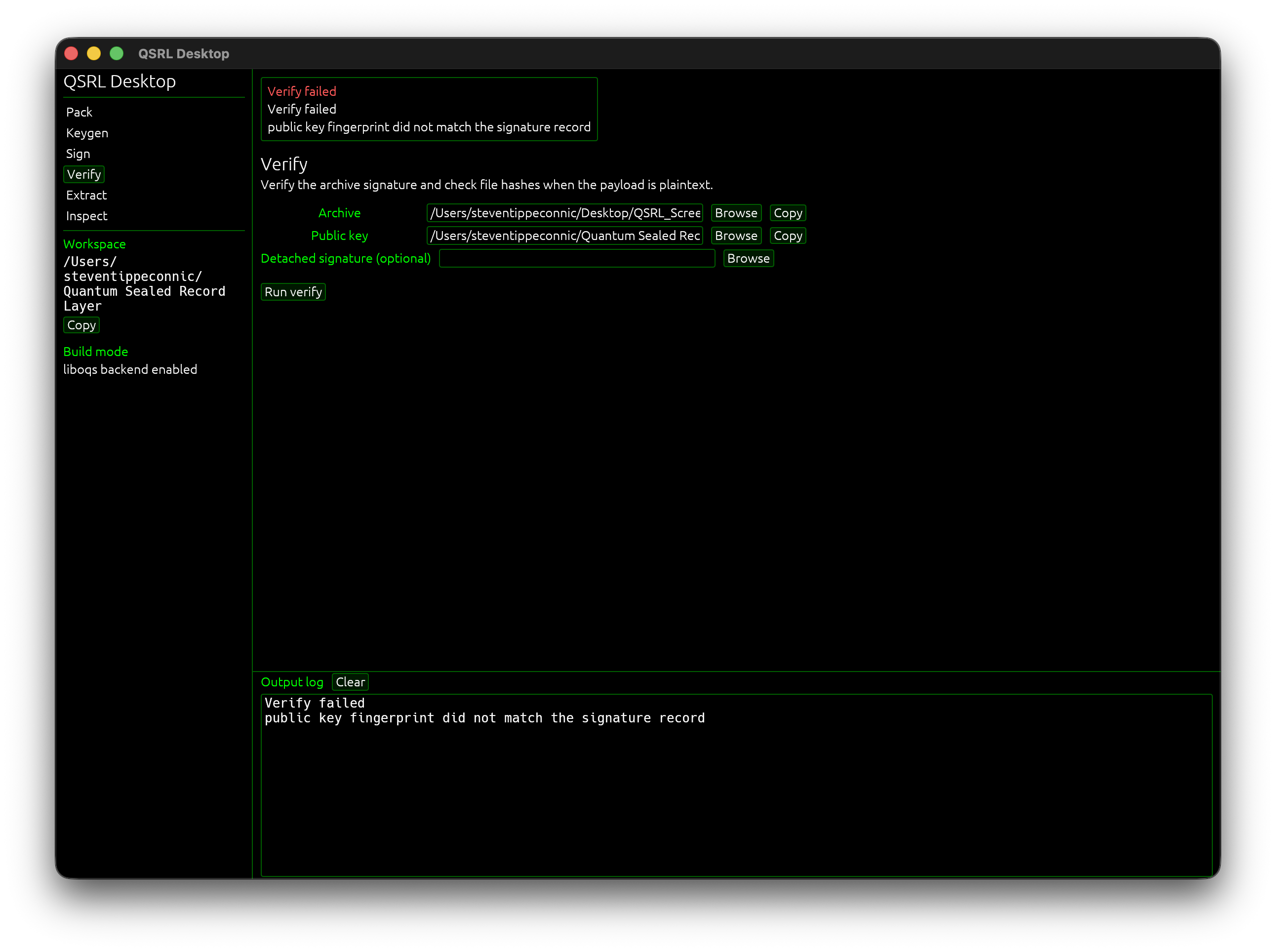
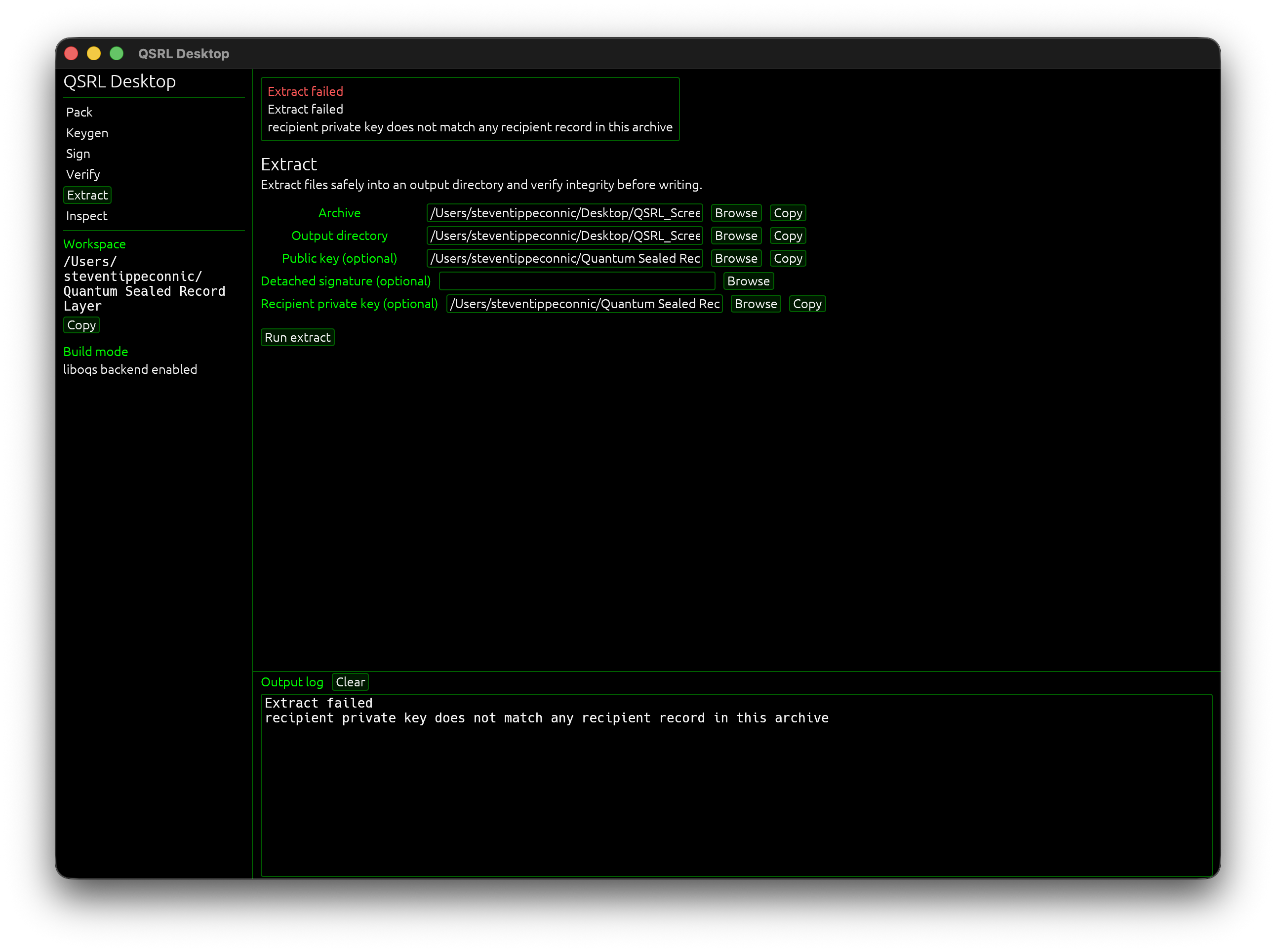
This is important because crypto tools should fail clearly. A correct private recipient key can decrypt, a correct signer public key can authenticate. If either is missing or wrong, qsrl should say exactly what was and was not checked.
I also tested failure paths, verifying with the wrong public key and extracting encrypted archives with the wrong recipient private key.
This is important because crypto tools should fail clearly. A correct private recipient key can decrypt, a correct signer public key can authenticate. If either is missing or wrong, qsrl should say exactly what was and was not checked.
9. Release hygiene
Before pushing the repo, I ran locked builds/tests, liboqs feature tests, desktop checks, Clippy with strict warnings, cargo audit, private-file checks, and a fresh-clone test from GitHub. This was important because qsrl is an archive/crypto prototype. The project now keeps Cargo.lock committed, documents dependency policy, ignores generated keys and archives, and treats dependency updates as intentional changes.
qsrl is still experimental and is not audited. It should not be used for production secrets yet. This is a first prototype and a developer-preview open source release.
If you try it and run into issues, open a pull request or file an issue. I’ll keep improving the format, the UI, and the safety checks over time. I also plan to add more post-quantum signature schemes as the project evolves.
Hope you enjoy!
qsrl GitHub Repository Link
Before pushing the repo, I ran locked builds/tests, liboqs feature tests, desktop checks, Clippy with strict warnings, cargo audit, private-file checks, and a fresh-clone test from GitHub. This was important because qsrl is an archive/crypto prototype. The project now keeps Cargo.lock committed, documents dependency policy, ignores generated keys and archives, and treats dependency updates as intentional changes.
qsrl is still experimental and is not audited. It should not be used for production secrets yet. This is a first prototype and a developer-preview open source release.
If you try it and run into issues, open a pull request or file an issue. I’ll keep improving the format, the UI, and the safety checks over time. I also plan to add more post-quantum signature schemes as the project evolves.
Hope you enjoy!
qsrl GitHub Repository Link